Four Checks to Make Before Connecting Your Wallet
Connecting a crypto wallet to a website can feel almost routine.
You visit a decentralized exchange, NFT marketplace, staking platform, blockchain game, or another Web3 app. The site asks you to connect your wallet, you click a button, approve the connection, and continue.
That convenience can also make people careless.
A fake website can look almost identical to the real one. A legitimate-looking app can ask for permissions you did not expect. And once a wallet prompt appears, it is easy to click through it without properly reading what you are agreeing to.
You do not need to become a smart contract expert before using Web3. But you should slow down long enough to make a few basic checks.
Here are four things worth checking before connecting your wallet to any website.



1. Check the Website Address Carefully
Start with the simplest question:
Are you actually on the website you think you are on?
Crypto phishing sites often imitate legitimate projects. The fake site may copy the original project's logo, layout, colours, buttons, and even its wallet connection screen.
The difference might be hidden in the web address.
Imagine the legitimate website is:
exampleprotocol.com
A scammer could register something that looks similar at a glance, such as:
example-protocol.com
or:
examp1eprotocol.com
That second example replaces the letter "l" with the number "1". On a small phone screen, the difference may be easy to miss.
Before connecting your wallet, look at the full domain name in your browser.
Do not rely only on the site's appearance.
Be especially cautious when you reached the website through:
- a social media reply
- a Telegram or Discord message
- an unsolicited direct message
- an email claiming you have won something
- an advertisement
- a link promising an urgent airdrop or token claim
A safer approach is to find a project's official website through a source you already trust and bookmark it if you expect to use it regularly.
Some wallets and wallet-connection systems can also warn users when a domain appears suspicious. WalletConnect, for example, provides domain verification technology that wallets can use to identify domain mismatches and known threats. However, WalletConnect itself warns that this protection is not foolproof. A lack of a warning should never be treated as proof that a website is safe. (docs.walletconnect.network)
The domain check takes a few seconds. In crypto, those few seconds can matter.
2. Ask Why the Site Needs Your Wallet
A "Connect Wallet" button should make sense in the context of what you are trying to do.
Suppose you are using a decentralized exchange and want to swap tokens. The application needs to know which wallet is interacting with it.
That makes sense.
If you are visiting a simple crypto news article and a popup suddenly insists that you connect your wallet to continue reading, that deserves more suspicion.
Before connecting, ask:
What am I trying to accomplish here, and does connecting my wallet make sense for that action?
This is also a good time to clear up a common misunderstanding.
Connecting your wallet is not normally the same thing as giving a website permission to take your cryptocurrency.
When you connect a wallet to a decentralized application, or dApp, the application can generally see the wallet address you choose to share. Because public blockchains are transparent, information associated with that address may also be visible.
Moving your tokens is different. A dApp generally needs you to approve another request, such as a token approval or transaction, before it can move the relevant assets. (support.metamask.io)
That distinction matters because scammers often rely on several steps.
Getting you onto the fake website may be step one.
Getting you to connect may be step two.
The dangerous step could come immediately afterwards when the site asks you to approve token access or sign something you do not understand.
So do not think:
"I connected successfully, therefore the site must be legitimate."
A wallet connection is not a security certificate.
3. Check Which Wallet You Are Connecting
You should also think about which wallet account you are exposing to a Web3 application.
Suppose you have one wallet holding most of the cryptocurrency you intend to keep long term.
That same wallet does not necessarily need to be the one you use to test an unfamiliar DeFi platform, claim an NFT, play a blockchain game, or experiment with a new dApp.
Every additional smart contract interaction creates another opportunity to make a mistake.
One practical approach is to separate your crypto activity.
For example, you might keep long-term holdings in one wallet and use another wallet containing a much smaller amount for regular dApp interactions.
People sometimes call the second one a burner wallet or interaction wallet.
The idea is simple.
If you make a mistake while experimenting with an unfamiliar application, the amount exposed to that mistake is limited.
This does not make a suspicious website safe. It simply reduces how much you may have at risk.
Ledger also recommends separating valuable long-term assets from wallets used for smart contract interactions when users face higher-risk situations such as transactions they cannot clearly verify. (ledger.com)
There is another privacy consideration.
Your blockchain address is public. Once you give a website your wallet address, the site may be able to inspect the transactions and assets associated with it on the blockchain.
For that reason, think about whether you actually need to connect your main wallet at all.

4. Read Every Permission and Signature Request
This may be the most important habit on the list.
Connecting the wallet is only the beginning of the interaction.
After connecting, the website may ask you to sign a message, approve a token, swap an asset, stake cryptocurrency, mint an NFT, or interact with a smart contract.
Do not assume every popup is harmless just because the first connection looked normal.
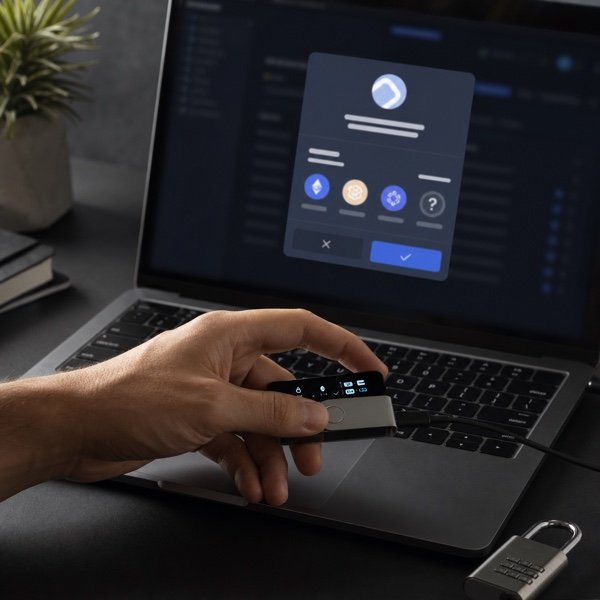
Read what your wallet is asking you to approve.
A token approval, for example, gives a smart contract permission to access and move a particular token from your wallet within the limits of that approval. These permissions are commonly used by legitimate decentralized applications, especially exchanges and DeFi platforms. (support.metamask.io)
But permissions can also be abused.
Some applications request very large or effectively unlimited spending allowances. There can be legitimate reasons for this, such as avoiding a new approval transaction every time you use a service, but unlimited permissions also create more risk if you approve the wrong contract. MetaMask recommends checking what an application is requesting and limiting token access when appropriate. (support.metamask.io)
Pay attention to things such as:
- which token the application wants permission to use
- how much it can access
- which wallet account is involved
- which network you are using
- the destination or smart contract involved
- whether the request matches the action you intended to perform
If you clicked a button to verify that you own a wallet and suddenly see a request giving a contract permission to spend your tokens, stop.
The request does not match what you intended to do.
You should also be careful with transactions your wallet cannot explain clearly. This is sometimes called blind signing: approving a transaction when the important details are not presented in a form you can properly understand.
Ledger describes clear signing as the opposite approach: presenting information such as the transaction action, recipient, amount, or contract interaction in human-readable form before approval. (ledger.com)
You do not need to understand every hexadecimal character in a smart contract transaction.
But you should understand what action you are authorizing.
If you cannot tell, cancelling is usually better than guessing.
Connecting Is Not the Same as Approving
This distinction is worth remembering.
A wallet connection, a signature, a token approval, and an on-chain transaction are not automatically the same thing.
They can appear one after another, which is why beginners sometimes treat the entire process as a single "connect wallet" action.
It isn't.
For example, you might:
- connect your wallet to a decentralized exchange;
- approve the exchange's smart contract to use a particular token;
- confirm the actual swap transaction.
Those are separate actions.
Each deserves your attention.
This is why blindly clicking "Confirm" whenever your wallet opens is a dangerous habit. Your wallet is not simply interrupting you. It is often giving you the final opportunity to review an action before your cryptographic keys authorize it.
What If You Already Connected to a Suspicious Site?
Do not panic simply because you connected a wallet.
Remember, a basic wallet connection does not automatically mean the website can take your tokens.
The more important question is what you approved or signed afterwards.
If you only connected, you can disconnect the site through your wallet's connected-app or dApp settings.
If you granted token permissions, those approvals may remain active until they expire or are revoked, depending on how they were created. Review your existing approvals and revoke ones you no longer trust or need.
And if you entered your seed phrase or private key into a website, the situation is much more serious.
Your seed phrase, sometimes called a recovery phrase, can be used to control the wallet. A legitimate dApp does not need your seed phrase simply to connect to your wallet.
Never type it into a website because a popup claims it is required for "verification," "synchronisation," an airdrop, or wallet connection.
A Few Seconds of Checking Can Prevent a Bigger Problem
Using Web3 does require accepting some responsibility for what your wallet authorizes.
That does not mean you have to be paranoid about every application.
It means developing a routine.
Before connecting, check the domain. Ask why the application needs your wallet. Decide whether you really want to use that particular wallet account. Then pay close attention to every permission or signature request that follows.
The goal is not to click more slowly forever.
It is to stop treating wallet prompts as something you automatically approve.
Once that habit becomes normal, many obvious crypto scams become much easier to spot.